
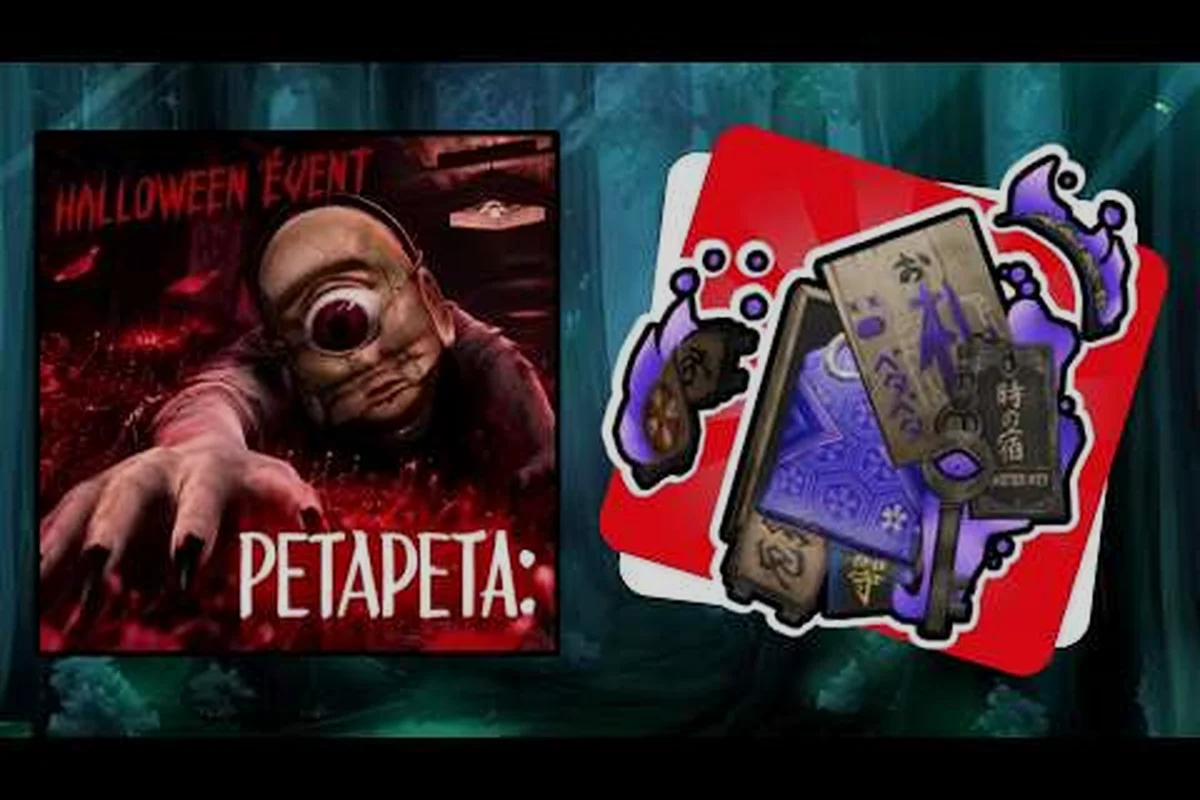
The PETAPETA badge in The Hollow event is a limited-time collectible, and missing one requirement usually means starting the run over. This guide walks through every step of the PETAPETA Hollow badge guide so you can claim it on your first serious attempt instead of your fifth.
For a closer look at how the PETAPETA badge behaves in practice, the official PETAPETA badge gameplay showcase demonstrates the mechanic in action.
What the PETAPETA event badge actually requires
The Hollow hands out its reward through a short chain of objectives rather than a single hidden trigger, which is why so many players finish the event map and walk away empty-handed. You need to complete the event's core loop, hold the correct Hollow items in your inventory at the right moment, and confirm the badge registers before the event timer closes. Skip any one of those three and the PETAPETA event badge simply never appears.
Community footage of the unlock shows the whole process taking under four minutes once you know the route, which is a strong hint that the difficulty is knowledge, not execution. According to player reports collected after the event went live, the most common failure is arriving at the final interaction without the required item set — the game gives no warning, and the run ends normally with no badge awarded.
The short version of what the PETAPETA badge demands is this: treat the Hollow run as a checklist, not a speedrun. Clear the event loop from entry to the final interaction, keep the required Hollow items in your inventory at the exact moment of the final trigger, and watch for the badge popup before you close the session — the award is tied to that specific run, so a disconnect or early exit after the trigger can cost you the PETAPETA event badge even if the objective itself was completed.
-
Complete the Hollow event loop from entry to the final interaction without leaving early.
-
Carry the correct Hollow items at the moment of the final trigger, not just at some point during the run.
-
Confirm the badge popup before closing the session, since the award is tied to that specific run.
-
Stay inside the event window — the badge is time-limited and disappears when The Hollow rotates out.
If you want the broader event context first, the full The Hollow event guide covers the map layout and the surrounding objectives that feed into this badge. That companion walkthrough is worth reading before your first attempt because it maps the event loop step by step, so you can match each stage of the Hollow run against the checklist above and spot exactly where your inventory is missing a required Hollow item. Players who skip straight to the final interaction tend to repeat the same failure — a clean run, no badge popup — while those who study the route first typically clear the whole unlock in under four minutes.
Why the badge is easy to miss
The Hollow does not gate the badge behind a boss or a puzzle failure state. It gates it behind inventory state, which is invisible unless you check. Players who treat the event as a speedrun tend to pick up items along the way and then drop or consume them before the final room, and the badge check happens after that point. Understanding the wider PETAPETA game mechanics around item persistence helps here, because the game tracks what you are holding at the instant of the trigger, not what you collected earlier.
Step-by-step: how to get the PETAPETA badge
The unlock sequence is short enough to memorize, but the order matters more than the individual actions. Each of the five steps feeds the next: clearing the event loop objectives in sequence prevents the soft-lock that occurs when a skipped objective leaves the final trigger unarmed, and holding every required Hollow item untouched until the interaction point ensures the item set registers as complete. Work through these steps in a single run and do not detour for optional loot until the badge is confirmed.
| Step | Action | What to watch for |
|---|---|---|
| 1 | Enter The Hollow during the active event window | Event must be live; the badge does not exist outside it |
| 2 | Clear the event loop objectives in order | Skipping an objective can soft-lock the final trigger |
| 3 | Collect every required Hollow item | Do not consume, drop, or trade them afterward |
| 4 | Reach the final interaction point | Approach only after the item set is complete |
| 5 | Trigger the interaction and wait for the popup | Do not close the session before the badge registers |
The item check that decides everything
Before you touch the final interaction, open your inventory and verify the Hollow items are still there. This is the single step that separates a successful PETAPETA Hollow badge guide run from a wasted one. If an item is missing, back out and re-collect it — the event does not penalize you for returning to earlier areas, and re-collecting is far cheaper than restarting the whole loop.
Players who have documented the unlock consistently describe the same pattern: the badge fires the moment the final interaction resolves, provided the item set is intact. There is no second chance within the same run once the trigger has been consumed.
Timing your run around the event window
The Hollow is a rotating event, so the badge is only obtainable while it is active. Check the event timer before you commit to a run — starting a long attempt five minutes before rotation is a common way to lose progress. If the window is closing, wait for the next cycle rather than rushing the item collection, because a rushed inventory check is exactly how the badge gets missed.
Hollow items you need and where they come from
The item requirement is the part most players get wrong, so it deserves its own breakdown. You are not collecting everything in the event — you are collecting a specific set that the badge check looks for. Treat the list below as a checklist and confirm each entry before moving to the final room.
| Item | Where it appears | Common mistake |
|---|---|---|
| Primary Hollow item | Early event loop, main path | Consumed early for a shortcut |
| Secondary Hollow item | Side room off the main route | Skipped because it looks optional |
| Event token | Awarded after the loop objective | Dropped when inventory is full |
| Final interaction key | Near the last room | Picked up but never verified |
Why players lose items mid-run
Inventory pressure is the usual culprit. When your bag fills, the game quietly pushes older pickups out, and Hollow items are not protected from that rule. Clear space before you enter the event, and avoid picking up cosmetic or filler loot that competes for the same slots. A clean inventory at the start of the run removes most of the risk.
The Ofuda Survival Kit guide is worth reading if you are also chasing the event's ticket rewards, since the same inventory discipline applies to both objectives and you can often work toward them in one session.
PETAPETA badges guide: comparing this badge to other event rewards
Not every PETAPETA badge works the same way, and knowing the difference saves time when several events overlap. The Hollow badge is an inventory-gated award, while other event badges lean on completion or collection thresholds. The table below maps the differences so you can plan your sessions.
| Badge type | Unlock condition | Typical run length | Reset behavior |
|---|---|---|---|
| Hollow event badge | Item set held at final trigger | 3-5 minutes once routed | Per-run; must redo on failure |
| Completion badges | Finish the event loop | 10-20 minutes | Progress usually persists |
| Collection badges | Gather a fixed number of items | Varies by drop rate | Partial progress may carry over |
| Story badges | Reach a specific event scene | Depends on pacing | Tied to event availability |
Reading the badge list correctly
Open the badge menu before you start and note exactly which entry corresponds to The Hollow. Some players complete the event, see a different badge unlock, and assume the Hollow one failed — when in reality they were looking at the wrong line. The Hollow badge has its own entry, and it only lights up after the final interaction resolves with the item set intact.
Community reports also note that badge popups can be delayed by a second or two during heavy server load. Wait at the interaction point rather than immediately leaving; the award is processed on the server side and closing the session too fast can interrupt the confirmation.
Common mistakes that cost you the badge
Most failed PETAPETA badge attempts aren't random bad luck — they cluster into four repeatable errors that each break the unlock in a predictable way. The trap is that every one of them feels like a time-saver in the moment: a Hollow item consumed for a shortcut, a side room skipped to beat rotation, a run started with too little clock left, or the game closed before the badge popup finishes registering. Because the PETAPETA check only fires on a complete, fully-resolved run, any single one of these wipes the entire attempt rather than costing partial credit. Fixing these four habits is usually enough to convert a losing streak into a clean unlock.
-
Consuming Hollow items for shortcuts. The shortcut saves seconds and costs the entire run.
-
Skipping the side room. The secondary item lives there, and the badge check does not care that the main path was faster.
-
Starting too close to rotation. A partial run gives no badge and no partial credit.
-
Leaving before the popup. The interaction resolving is not the same as the badge registering.
A quick pre-trigger checklist
Run this check every time, in this order: inventory space clear, all Hollow items present, event timer healthy, final interaction untouched. If all four pass, trigger the interaction and stand still until the badge appears. That four-point check is the core of any reliable PETAPETA Hollow badge guide, and it takes about ten seconds.
If the badge still does not appear after a verified item set and a completed loop, the most likely cause is a missed loop objective rather than a bug. Walk the event route once more and confirm each objective registered before assuming something is broken.
Making the unlock repeatable across event cycles
Once you have the route down, the badge becomes a routine rather than a challenge. The Hollow returns on a rotation, and the same item set and trigger apply each time it does, so the knowledge carries forward. Players who unlock it once typically report a second clear on the first attempt, because the only real barrier was not knowing which items the check looks for.
For the seasonal context around these rewards — including how limited items and event endings are handled — the PETAPETA Halloween event guide explains the rotation schedule and what happens to unobtained badges when an event closes. That matters here because the Hollow badge follows the same limited-time rules, and there is no post-event catch-up path.
A practical habit: screenshot your inventory right before the final interaction on your first successful run, ideally with the Hollow item count and stack numbers visible in frame. That single image becomes your reference set for every future cycle, removing the guesswork about which items were actually required versus which you happened to be carrying. It also lets you cross-check against the event rotation schedule, so if a future Hollow visit shifts the required item set, you can spot the difference immediately instead of re-deriving the route from scratch.
Frequently Asked Questions
How long does it take to get the PETAPETA badge in The Hollow?
Once you know the route, a clean run takes roughly three to five minutes from entry to badge popup. The time cost is almost entirely in the item collection and the pre-trigger inventory check, not in combat or puzzle solving, so a prepared player clears it quickly.
Do I need every Hollow item, or just one?
You need the full required set held at the moment of the final interaction. Holding only the primary item is the most common reason the PETAPETA event badge fails to appear, since the check evaluates your complete inventory state rather than a single flagged pickup.
Can I get the badge after the event ends?
No. The Hollow badge is tied to the active event window and there is no post-rotation catch-up method. If you miss the cycle, you have to wait for The Hollow to return and complete the run again during a live window.
Why did the badge not appear even though I finished the event?
The usual causes are a missing Hollow item, a skipped loop objective, or closing the session before the award registered — and the third is the quietest failure, since the PETAPETA event badge is only granted at the moment the popup fires, not when the final objective ticks over. If you exit the interaction point early, the run counts as incomplete and you re-collect the full Hollow item set from a fresh entry. Re-verify your inventory against the complete required set, confirm each loop objective shows completed, then hold position at the interaction point until the badge popup appears before leaving.
Does the badge carry over between runs if I fail?
No — the Hollow badge is evaluated per run, not per account. Partial progress does not persist between attempts, so a failed run means re-collecting the entire Hollow item set and re-triggering the final interaction from a fresh entry into the event. There is no checkpoint at the pre-trigger inventory check, and the PETAPETA event badge only registers at the popup, so abandoning a run mid-collection costs you the full item route rather than just the missing pickup.
The PETAPETA badge in The Hollow is a knowledge check disguised as a challenge: complete the loop, hold the right Hollow items, verify before you trigger, and wait for the popup. Lock those four habits in and the unlock stops being a gamble and becomes a two-minute routine you can repeat every time the event rotates back in.