
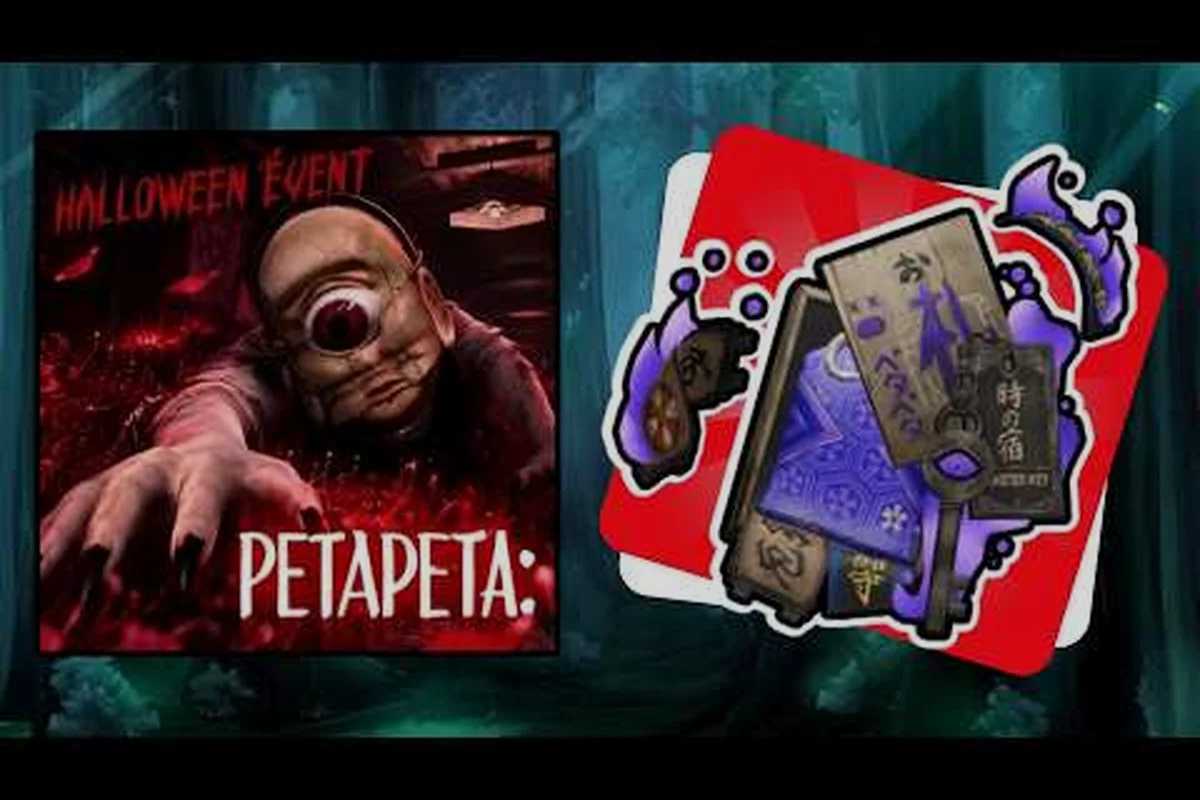
The PETAPETA Roblox group is the fastest way to stay wired into the game's development cycle, and joining it takes less than a minute. If you have ever missed a limited event window or found out about a patch a week late, this is the fix.
Why the PETAPETA Roblox Group Matters More Than a Discord Invite
A Roblox group is a persistent identity layer, not just a chat room. When you join the official PETAPETA Roblox group, your account is permanently associated with the studio's roster, which means announcements, group-only items, and rank-based perks route to you automatically. That is a meaningfully different relationship than following a social account, because the group lives inside the same platform that hosts the game.
The studio behind the game, Omochi Studio, runs its group as a low-noise channel. Community reports suggest the group wall is moderated tightly and announcements are reserved for things that actually change your play session — event openings, maintenance windows, and new content drops. For PETAPETA players who check in a few times a week rather than every day, that restraint is the point.
Here is how the group compares to the other ways you can follow the game: unlike the Omochi Studio YouTube channel, which surfaces trailers and PVs on a medium-speed release cadence and requires only a Google account, the PETAPETA Roblox group delivers its notices in-platform and in real time, so event openings and maintenance windows reach PETAPETA group members the moment they log in rather than waiting on a video upload. Fan-run communities remain variable in both speed and reliability, and in-game notices cover only the current session, which leaves the official group as the sole channel pairing verified Omochi Studio status with instant, account-bound delivery for PETAPETA players.
| Channel | Best for | Update speed | Account needed |
|---|---|---|---|
| PETAPETA Roblox group | Perks, ranks, official notices | Fast (in-platform) | Roblox account |
| Omochi Studio YouTube | Trailers, PVs, teasers | Medium | Google account |
| Fan-run communities | Tips, theories, art sharing | Variable | Varies |
| In-game notices | Immediate session info | Instant | None |
The practical takeaway is that the group is the only channel combining verified Omochi Studio status with in-platform delivery, and the table above makes the gap concrete: the PETAPETA Roblox group is the sole row that pairs official status with fast, account-bound notices, while the Omochi Studio YouTube channel lags to a medium cadence and fan-run communities stay variable in both speed and reliability. For PETAPETA group members chasing rank-based perks or group-only items, that difference compounds — a missed maintenance window on YouTube can cost a session, whereas the group wall surfaces it the moment you log in. In-game notices stay instant but session-bound, so they cannot replace the persistent roster record the PETAPETA official group maintains for PETAPETA players.
What group membership actually unlocks
Membership itself is free, but the value sits in the tiers above it. Group members typically get first visibility on group-only cosmetic drops, early notice of event start times, and access to the group wall where staff occasionally post clarification on mechanics that confuse players. None of that is paywalled — it is simply gated behind the join button.
Who Runs the PETAPETA Official Group and Who Is Inside It
The group is operated by the same studio that builds the game, which matters because it means announcements come from people with actual authority over the build. You can read more about the team's background in this Omochi Studio profile if you want context on how the studio structures its public presence.
Inside the group, the population breaks into a few recognizable layers, and the rough proportions are lopsided: studio staff and moderators form a very small slice, long-term veterans another small one, while active PETAPETA players and inactive or lurker accounts each make up a large share of the roster. That imbalance is why raw member counts tell you almost nothing about activity — a sizable chunk of PETAPETA group members joined for a perk and rarely post, so the wall's real signal comes from the thin veteran layer rather than the crowd. Understanding these tiers helps you know whose posts are worth reading.
| Member tier | Rough share of roster | What they do | Visible to you |
|---|---|---|---|
| Studio staff and moderators | Very small | Post announcements, moderate wall | Yes |
| Long-term veterans | Small | Answer questions, flag bugs | Yes |
| Active PETAPETA players | Large | Share routes, event tips | Yes |
| Inactive or lurker accounts | Large | Joined for a perk, rarely post | Yes |
The veteran tier is the one worth paying attention to. These are PETAPETA group members who have been present across multiple event cycles, and their replies on the wall often contain the practical detail that official posts leave out — which door opens first, which item is worth chasing, how long a run realistically takes.
Reading the group wall without wasting time
The wall moves slowly by design. A sensible routine is to scan the most recent staff posts first, then check whether any veteran has replied underneath with a correction or a shortcut. Skip anything older than the current event cycle unless you are researching history, because mechanics change between patches and old advice goes stale fast.
How to Join the PETAPETA Roblox Group Step by Step
Joining the PETAPETA Roblox group is straightforward, but a few steps trip people up — particularly the ones around account age and group limits. Roblox requires a verified email before the Join button becomes active, so new PETAPETA players who signed up minutes ago often find it greyed out and assume the group is closed. Work through this sequence in order, and if you are chasing PETAPETA group members perks like announcement pings or the Omochi Studio community wall, confirm your account is the one you actually play on before you start.
-
Log into Roblox on the account you actually play PETAPETA with. Group perks attach to the account, not the device.
-
Open the group page from the game's official Roblox listing or search the group name directly in the Roblox group directory.
-
Click Join — the button sits near the top of the group page. If it is greyed out, your account may be too new or you may have hit the group membership cap.
-
Verify you appear on the member list by refreshing the page. Membership sometimes takes a moment to register.
-
Check your notifications settings so group announcements reach you without flooding your feed.
-
Read the group description and rules before posting anything on the wall.
If the join button will not respond, the most common causes are an unverified email, a very new account, or a full group. Roblox caps how many groups one account can belong to, so long-time players occasionally need to leave an unused group first.
What to do in your first week as a member
Do not post immediately. Spend a few days reading. The group culture rewards people who ask specific questions — "which floor does the key spawn on" beats "how do I play" every time. Once you have a feel for the tone, introduce yourself briefly and ask one concrete question. That pattern gets answers.
Rules, Etiquette and What Gets You Removed
Group rules exist because the wall doubles as an official channel for the PETAPETA Roblox dev team, not a free-for-all fan board. Breaking them does not just get a post deleted; it can cost you the perks attached to your tier, which in this Omochi Studio community can mean losing early access to event announcements or beta build notices before they hit the public PETAPETA official group. The table below spells out the exact penalty for each offense, so check it before you post rather than after a moderator has already acted.
| Behavior | Consequence | Notes |
|---|---|---|
| Posting leaked or datamined content | Post removal, possible kick | Studio treats leaks as a trust breach |
| Spamming the wall with trade requests | Warning, then mute | Use dedicated trading spaces instead |
| Harassing other PETAPETA players | Immediate removal | Zero tolerance, no appeal |
| Sharing account credentials | Removal plus Roblox report | Never share login details |
| Asking staff for free items | Ignored, sometimes muted | Not a support channel |
The leak rule catches newcomers most often. Datamining is a popular hobby in some Roblox communities, but this group treats unreleased content as off-limits because it spoils event reveals the studio has planned. If you enjoy digging through files, keep that activity entirely outside the group wall.
Where to take support questions instead
The group wall is not a support desk. Bug reports and account issues belong in the proper channels, and there is a full breakdown of how to route them in this guide to PETAPETA support — though in practice, most players find that a clear bug report filed through the official route gets a faster response than a wall post ever would.
According to the official PETAPETA developer showcase video, the mechanics and data discussed here reflect the developer's own documented implementation.
Getting Real Value From the PETAPETA Community
The group is the entry point, but the broader PETAPETA community is where the deep knowledge lives. Fan artists, route optimizers, and lore theorists all congregate in different spaces, and the group often acts as a bridge between them. If you want to see how that creative side organizes itself, the PETAPETA fan art scene is a good place to start.
A few habits separate players who get real value from the community from those who just lurk: the difference usually comes down to how you treat information as a resource. Lurkers scroll the PETAPETA Roblox group feed passively and absorb whatever happens to be newest, while engaged members build a mental map of who reliably documents Omochi Studio community findings — route notes, puzzle screenshots, patch reactions — and then verify that intel against the live build before acting on it. That verification step matters because PETAPETA players often quote advice from two or three patches back without flagging it, and a stale tip can cost you a run.
-
Follow the people, not the platform. A handful of veteran PETAPETA players consistently post accurate route notes; find them and read their history.
-
Contribute one useful thing per event cycle. A single well-documented route or a clear screenshot of a puzzle solution earns more standing than a hundred short replies.
-
Cross-check claims against the current build. Community advice ages quickly after a patch, so verify anything older than the latest update before relying on it.
-
Keep official and fan channels separate in your head. Official posts are authoritative; fan posts are informed guesses that are sometimes wrong.
How the group connects to update cycles
Group announcements tend to cluster around update launches. When a new patch lands, expect a burst of posts covering what changed, what broke, and what is temporarily disabled. That window is the single best time to read the wall, because the information density is highest and the veterans are actively correcting each other in real time. The 2026 update coverage tracks the same cycles if you prefer a written summary over wall posts.
Comparing Group Membership Against Other Ways to Follow PETAPETA
Joining the PETAPETA official group isn't a requirement to play — every experience, event, and update remains accessible to non-members. What membership actually changes is your information flow: group members get early notices on Omochi Studio community events and cosmetic perks tied to the PETAPETA Roblox group, while non-members rely on in-game notices that may arrive later. That distinction matters most for PETAPETA players who chase time-sensitive content, since a delayed heads-up can mean missing a limited window entirely.
| Player type | Join the group? | Why |
|---|---|---|
| Daily player chasing every event | Yes, strongly | Perks and early notices pay off |
| Weekly casual player | Yes | Low-noise channel, no spam risk |
| Lore-focused player | Optional | Fan spaces cover theory better |
| Player who dislikes social features | Optional | In-game notices may suffice |
| Content creator | Yes | Early notice helps scheduling |
The pattern is clear: the more your play depends on timing, the more the group earns its place. A daily player grinding limited-time Omochi Studio community events feels that early notice directly — arriving through the PETAPETA official group ahead of the in-game notice can be the difference between catching a limited window and reading about it afterward, which is why the "Yes, strongly" row pairs early notices with cosmetic perks as a combined payoff. Casual players who log in spontaneously gain less from early notices, though the cosmetic perks still apply, and lore-focused players can lean on fan spaces for theory instead.
A note on account hygiene
Because group membership ties to your Roblox identity, treat the account carefully. Use a strong password, enable two-factor authentication, and never accept a "group staff" message asking for your login. The studio will not request credentials through the wall, and any account claiming otherwise is impersonating staff. Reported impersonation attempts are common enough that moderators post reminders periodically.
Frequently Asked Questions
Is the PETAPETA Roblox group free to join?
Yes — joining the PETAPETA Roblox group is completely free and requires only a standard Roblox account, with no premium tier, purchase requirement, or application process standing in the way. You click Join on the group page and you are in immediately, provided your account meets Roblox's basic group requirements (such as account age and email verification where applicable). Because there is no vetting step, new PETAPETA players can access the group wall, early event notices, and cosmetic drops the same day they discover the game, which is part of why the Omochi Studio community roster climbs so quickly during update cycles.
How many PETAPETA group members are there?
The roster grows steadily with each event cycle, and community reports put it well into the thousands. Exact counts shift week to week, so check the group page directly for the current figure rather than relying on a number quoted in a guide.
What happens if I get removed from the group?
Removal usually follows a rule break, most often posting leaked content or harassing other members. You lose access to group-only perks and the wall. Rejoining is possible but not guaranteed, and repeat offenses typically result in a permanent block.
Do I need the group to play PETAPETA?
No. The game is fully playable without membership, and nothing essential is locked behind it. The group adds convenience — early notices, cosmetic drops, and a moderated space to ask questions — but it is not a gate to content. In practice, that means PETAPETA players can clear updates, hunt for secrets, and trade with the wider Omochi Studio community without ever touching the PETAPETA official group; the perks are purely additive, stacking on top of normal play rather than unlocking a separate tier of gameplay.
Can I join on a phone?
Yes. The Roblox mobile app supports group joining through the same group page, and the process is identical to desktop — tap the PETAPETA official group, hit Join, and you are in. Perks attach to your Roblox account rather than the device, so switching from phone to PC later does not affect your membership or tier, and cosmetic drops claimed on mobile appear in your inventory everywhere. The one mobile-specific caveat: group wall posting and some event notice links open more reliably in the desktop client, so PETAPETA players who mainly play on a phone may want to check the group page on a browser for full event details.
The Bottom Line on the PETAPETA Roblox Dev Group
The official group is a low-cost, low-noise way to stay aligned with how PETAPETA is actually being developed. Joining takes a minute, the rules are simple enough to follow without effort, and the payoff is timing — you find out about events and patches when they happen rather than after. For anyone who plays regularly, that timing advantage compounds across every event cycle. Read the wall before you post, contribute something concrete once per cycle, and the group becomes one of the more useful tools in your rotation.