
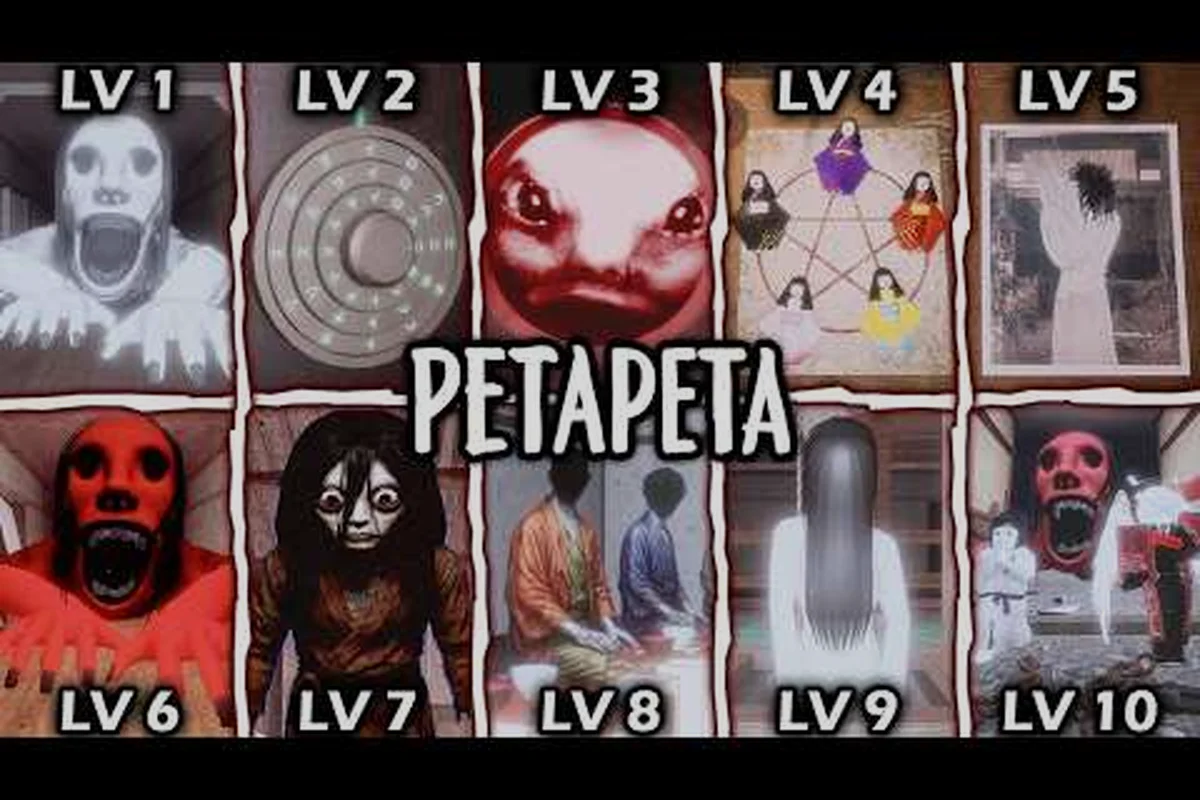
Watching a good PETAPETA gameplay video is the fastest way to understand what the game actually feels like before you download it, and the wrong pick wastes twenty minutes on a clip that skips the scares. This breakdown separates the full runs worth your time from the highlight reels that cut out everything that matters.
The difference is real. A full playthrough shows you how tension builds between rooms, how the monster behaves when you hesitate, and where the difficulty spikes hit. A two-minute clip shows you a jumpscare and nothing else. If you want to judge whether PETAPETA is for you, or you want to learn the Hotel event before your own run, you need the long-form footage.
What Makes a PETAPETA Gameplay Video Worth Watching
Not every upload labeled as PETAPETA gameplay earns the label. The strongest videos share a few traits that separate them from the flood of reaction clips and edited shorts, and knowing them saves you from clicking through five mediocre uploads before finding one that respects your time.
The first marker is unedited run continuity. A creator who leaves the dead air in — the slow walk down a corridor, the pause before opening a door — is showing you the actual pacing of the game. Cuts destroy that information, because the horror in PETAPETA depends on anticipation rather than the scare itself.
The second marker is visible decision-making. You want to hear the player think out loud about which door to try, whether to sprint, or why they backed into a corner. That narration turns footage into a lesson. Without it, a viewer watching a silent run with a music overlay has no way to know whether the player checked the generator room first or simply got lucky with the event spawn order — and the table below flags exactly that as a red flag. When a creator narrates a PETAPETA gameplay video, they expose the reasoning behind each route choice, so you can compare it against your own plan for the same event.
The third is honest failure. A run where the player dies twice teaches you more about monster behavior than a flawless clear, because each death exposes a specific trigger — which sound cue pulled the entity into the corridor, how long the chase window lasts before it breaks off, and where the recovery route back to the generator room actually runs. That is why the table below treats suspiciously flawless "first try" runs as a red flag: a PETAPETA gameplay video with zero deaths either cut the failed attempts out or ran a build where the event spawn order was unusually forgiving, and neither case tells you how to survive the same chase in your own PETAPETA playthrough.
| Marker | Why It Matters | Red Flag to Avoid |
|---|---|---|
| Unedited continuity | Preserves real pacing and tension | Constant jump cuts every 10 seconds |
| Narrated decisions | Turns footage into a learning tool | Silent play with music overlay |
| Honest deaths | Shows monster triggers and recovery | Suspiciously flawless "first try" runs |
| Full event coverage | Lets you plan your own route | Clips that start mid-event |
| Clear version label | Tells you which build is shown | No date or patch info |
A useful rule of thumb from community discussion: if the video description cannot tell you which event or mode it covers, the uploader probably did not think the run was worth explaining either. This ties directly to the full event coverage and clear version label rows in the table above — a PETAPETA gameplay video that opens mid-chase or never states its patch level forces you to reverse-engineer the build from monster behavior, and entity speed or generator room layouts can shift between updates. Before committing twenty minutes to a PETAPETA playthrough, scan the description for the event name, the Roblox version, and a timestamp list; a creator who documents those details is usually the same one who left the deaths and dead air in, which means the footage you are about to watch is the footage you can actually learn from.
Full Runs vs. Highlight Reels
Full runs and highlight reels serve opposite purposes, and mixing them up is the most common reason people come away from PETAPETA gameplay footage confused about difficulty. A highlight reel compresses an hour into three minutes, which means every moment of downtime, every wrong turn, and every failed attempt disappears. What remains is a sequence of scares with no context.
Full runs do the opposite. They are slower, sometimes boring in stretches, and that is exactly the point — the boredom is the setup. If you are deciding whether to buy in, watch twenty minutes of an unedited run rather than ten highlight clips. You will get a far more accurate sense of what you are signing up for.
PETAPETA Roblox Gameplay: What the Platform Changes
PETAPETA runs on Roblox, and that platform detail shapes the footage more than most viewers expect. Frame rate, load times, and even how the camera handles during a chase all depend on the device the creator recorded on, so a video captured on a high-end PC looks noticeably different from one recorded on a phone.
According to community reports, the Roblox engine's draw distance affects how early you can spot certain environmental cues, which means a PC-recorded PETAPETA Roblox gameplay video may show details a mobile player never sees. That is not a flaw in either version — it is a reason to match the footage to your own setup.
If you play on a phone, seek out creators who record on mobile. Their footage will show you the actual touch layout, the real frame rate, and the control limitations you will face. A desktop-recorded run can teach you route logic, but it will mislead you about reaction windows.
The mobile guide covers the touch control layout in detail if you want to compare what you see on screen against your own device. Pay particular attention to the joystick dead zone and the sprint button placement when you cross-check — those two elements determine whether a mobile-recorded PETAPETA gameplay video reflects the reaction windows you will actually get, since thumb travel to the sprint input adds a beat that keyboard players never experience. Watching a creator's on-screen thumb position during a chase sequence tells you more about real mobile control limits than any frame-rate figure alone.
Reading the HUD in Footage
One underrated skill is reading the on-screen HUD in someone else's run. Watch where the creator's eyes go during a chase — if they keep glancing at a corner of the screen, that element is probably telling them something about monster proximity or objective status. Pausing a PETAPETA gameplay video at a tense moment often reveals UI cues you would otherwise miss on your own first run.
The Standout Full Playthroughs Right Now
The current pool of long-form footage is small but genuinely useful, and a few uploads stand out for different reasons. The most-cited example in recent community discussion is Sai3lplays' Hotel PvP match, which shows the Vampire class in action during a live Hotel session rather than a scripted solo run.
That Vampire class Hotel PvP match runs about four and a half minutes and has accumulated roughly 3,800 views since late October, which makes it a compact reference for how PvP encounters actually unfold rather than a full-length campaign record. It is short, but it is honest footage of a real match.
For longer viewing, the practical approach is to sort by upload date and filter for videos over twenty minutes — a threshold that matters because the compact Vampire PvP match above sits well under it, so the length filter naturally separates quick class showcases from the 45–90 minute full solo playthroughs you actually want for learning pacing and routes. That single filter removes most of the noise, since reaction-first clips and short PvP showcases dominate the upload feed and bury the sparse long-form PETAPETA gameplay recordings. Sorting by date also keeps you ahead of patch changes that can date a route video quickly.
| Video Type | Typical Length | Best For | Watch When |
|---|---|---|---|
| Full solo playthrough | 45–90 min | Learning pacing and routes | Before your first run |
| Event-focused run | 20–40 min | Prepping the Hotel event | Before the event window |
| PvP class showcase | 3–8 min | Understanding class matchups | Before trying PvP |
| No-commentary full run | 60+ min | Background viewing, route study | When you know the basics |
| Reaction-first play | 10–20 min | Seeing genuine first impressions | If you want the blind experience |
The no-commentary category deserves a mention because it serves a specific need: studying a route without a voice competing for attention. The walkthrough video collection is where that style of footage tends to concentrate, and it pairs well with a written route plan.
Matching the Video to Your Goal
Ask yourself one question before clicking: am I watching to learn, or watching to be entertained? If you want to learn the Hotel event layout, a full event run beats a cinematic edit every time. If you just want the atmosphere, a well-shot cinematic piece delivers more per minute. The cinematic and trending picks cover that second goal well.
How to Judge a Creator Before You Commit
Subscriber counts tell you almost nothing about whether a creator's PETAPETA gameplay footage will help you. What matters is whether they play the game seriously enough to explain it, and that shows up in small signals long before the view count does.
Look at the description first. A creator who lists the event, the mode, the patch date, and whether the run was solo or co-op is signaling that they treat footage as documentation. A description that says only "scary game lol" is signaling the opposite.
Then check the first thirty seconds. Good long-form creators establish context immediately — which level, which difficulty, whether it is a blind run. If the video opens mid-chase with no explanation, you are watching a highlight, not a playthrough.
Finally, scan the comment section for corrections. In PETAPETA horror gameplay, hidden mechanics are the norm — a viewer who has already cleared the same level will spot the missed fuse box, the wrong door order, or the trigger the creator walked past, and that correction is often the single most useful line in the entire video. A creator who pins or replies to those fixes, rather than deleting them, turns each upload into a self-correcting record: the pinned comment becomes a patch note for the run, and the next PETAPETA playthrough inherits the fix instead of repeating the mistake.
| Signal | Strong Creator | Weak Creator |
|---|---|---|
| Description detail | Event, mode, patch, solo/co-op listed | One-line joke caption |
| Opening 30 seconds | Sets context and goal | Drops into mid-action |
| Deaths shown | Included and discussed | Cut out entirely |
| Response to corrections | Pins or replies with fixes | Ignores or deletes |
| Upload consistency | Regular, dated uploads | Sporadic, undated |
Spotting Edited "First Try" Runs
A run labeled as a blind first attempt but featuring zero hesitation at every fork is almost certainly a re-record. That is not a crime, but it matters if you are watching to calibrate difficulty. Genuine first-time footage includes wrong turns, backtracking, and at least one moment of visible panic — and those moments are the most instructive part of the video.
Building a Watch List That Actually Helps
A random playlist of PETAPETA gameplay videos will not make you better at the game. A structured watch list will. The idea is to sequence footage so each video answers the question the previous one raised, moving from orientation to specifics to edge cases.
Start with one full solo run to absorb the overall rhythm. Then watch an event-specific run for the content you are about to attempt. Then, once you have played yourself, return to a no-commentary run and watch it with fresh eyes — you will notice route decisions you completely missed the first time.
-
Stage one — orientation: one full solo playthrough, no skimming, watched end to end.
-
Stage two — preparation: one event-focused run covering the specific content you plan to attempt next.
-
Stage three — refinement: one no-commentary run reviewed after your own attempts, paused at decision points.
-
Stage four — breadth: short class or mode showcases to understand options outside your usual playstyle.
This sequence works because each stage builds on knowledge you already have. Watching an advanced run before you have played is like reading a strategy guide for a game you have never touched — the information slides off because you have no framework to attach it to.
Community members frequently note that the most valuable rewatch is the one you do after dying somewhere yourself. At that point, the footage stops being entertainment and becomes a direct answer to a specific question. A concrete case: if a PETAPETA horror gameplay run ends with you cornered in a dead-end corridor during a chase sequence, rewinding the same route in a no-commentary PETAPETA full gameplay video shows exactly where the streamer broke line of sight and doubled back through a side door instead of committing to the hallway. That single paused frame — the moment the chase music shifts and the entity's pathing resets — carries more usable information than an hour of pre-playthrough viewing, because your own death gave you the question the footage was always waiting to answer.
When to Stop Watching and Start Playing
There is a point where more footage stops helping. If you have watched two full runs and you can predict where the monster will appear, you have absorbed everything the video can teach you — the rest has to come from your own hands. Watching a third run at that stage is procrastination dressed up as preparation.
Frequently Asked Questions
How long is a typical PETAPETA full gameplay video?
Most full solo runs land between 45 and 90 minutes depending on how much the player explores and how often they die. Event-focused runs are shorter, usually 20 to 40 minutes, because they cover a single contained scenario rather than the whole progression.
Is it better to watch PETAPETA horror gameplay before or after playing?
Watch a short segment before playing to judge whether the game suits you, then save the full runs for after your first session. Footage makes far more sense once you have felt the controls and understand what the player is reacting to.
Where can I find PETAPETA Roblox gameplay recorded on mobile?
Search specifically for mobile-tagged uploads and check the video description for device details. Creators who record on phones usually state it, because the touch layout and frame rate are visibly different from PC footage and viewers ask about it constantly.
Do PETAPETA playthrough videos spoil the scares?
Full runs do show jumpscares, so if you want a completely blind first experience, avoid long-form footage until you have played at least one solo session. The tradeoff flips once you are watching to learn routes and mechanics: a 45-to-90-minute run reveals the full progression loop, including which event triggers the first scripted scare, how the killer's patrol path resets between rooms, and where experienced players pre-place their hiding spots before a chase begins. Treat spoiler-heavy segments as reference material rather than entertainment — pause on the route timestamps, note the patch date in the description, and return to them when you are stuck on a specific event rather than as a first-look substitute.
What should I look for in a PETAPETA gameplay video description?
Look for the event or mode name, the patch date, and whether the run is solo or co-op. A creator who lists all three is documenting the run properly, which usually means the footage itself is unedited and trustworthy.
The best PETAPETA gameplay videos are the ones that show the game honestly — the slow parts, the deaths, and the decisions in between. Pick one full run, watch it properly, then go play and come back to the footage with your own questions in hand. That loop is what turns watching into actual improvement.